
If you’ve ever used Canva just to make simple graphics, you’re seriously underestimating its potential.
Today, Canva isn’t just a design tool—it’s a full-blown income machine when used the right way. Whether you’re a beginner with zero experience or someone looking for flexible online income, there are countless ways to turn simple designs into real money.
In this guide, you’ll discover 15 practical and proven ways to make money with Canva. These aren’t just random ideas—they’re strategies people are actively using right now to generate income online, even part-time.
Let’s dive in and explore how you can start turning your creativity into cash
1. Sell Brand Identity Kits
I think that this is a massively overlooked niche for freelance graphic designers. Most freelancers that come to Fiverr just try to sell the most popular gigs, such as standalone logos, which drives the gig prices all the way down to just $10 a logo.
So instead, why not come and sell a niche package aimed at a high-income customer like a business?
Why brand identity kits? Brand identity kits are a great example as you can sell them at a high price. Like I see sellers are charging from $50 to $1000 on Fiverr — standard packages on average sell for at least $100. As part of it you choose your brand font, brand color palette, and you create a logo.
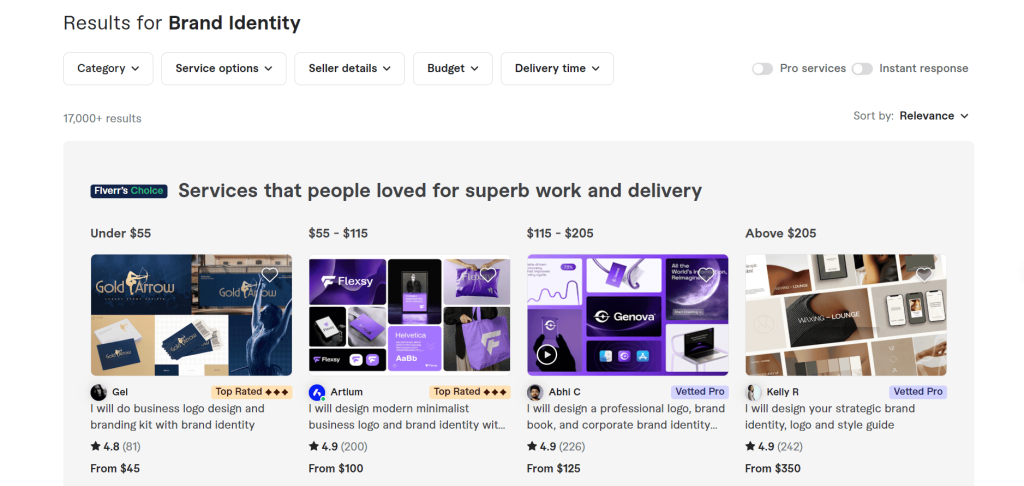
The Canva advantage: Canva is an amazing tool to quickly create these with, because if you search for brand identity kits you’ll see that there are lots of templates to choose from that you can open up and start customizing for clients.
The hidden feature most people don’t know about: You can also use Canva’s AI-generated color palettes. You can just ask a client to give you a picture or a photo that matches an aesthetic that they want their brand to replicate, upload it to Canva, and Canva’s AI will then automatically generate a color palette for you from the picture.
2. Create Pinterest List Pins
List pins are one of the most effective ways to earn money on Pinterest from affiliate commissions. If you come and do a search on Pinterest for the phrase “growing vegetables at home,” you’ll see that there are several different list pins ranking highly in the results.
Why list pins work so well: List pins like can get really good results on Pinterest because they’re both visually engaging and they spark curiosity in the reader.
And well, if you click on the link for one of these pins, it’ll take you to a blog page — and inside of that blog page are usually affiliate links to products that people can go and buy. This method can make a surprising amount of money.
How to create list pins: You can use Canva to create list pins. There are a lot of templates that you can edit and just swap in new text and new photos and graphics from Canva’s library to create more and more pins.
3. Generate Quote Videos
Quote videos are a very effective way to quickly make money on TikTok.
Take for example this TikTok account — they have lots of popular videos like this one with over a million views.
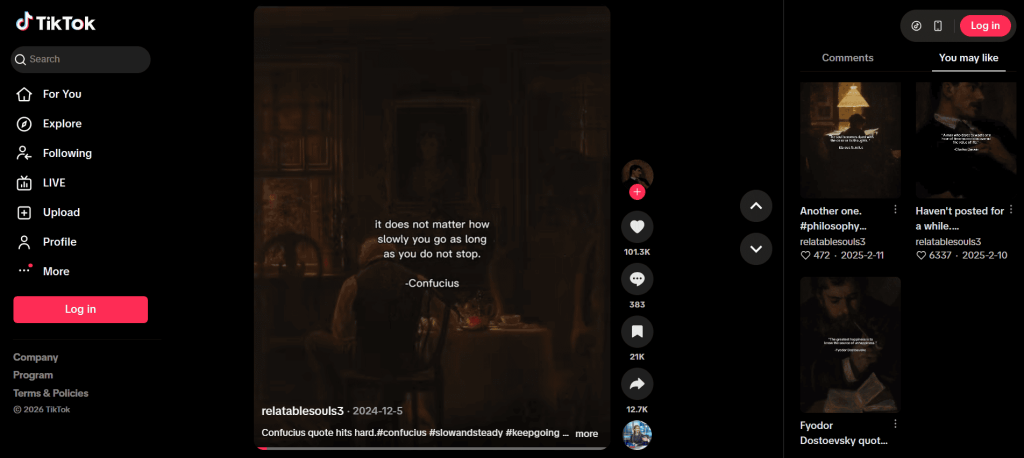
The money side: You can make money from the TikTok creativity ad program. Only videos 1 minute or longer are eligible, but the ad payouts are ridiculously high — on average TikTok is paying out 50 cents to $1 per 1,000 views. So that means 1 million views can generate $400–$1,000, which is insane.
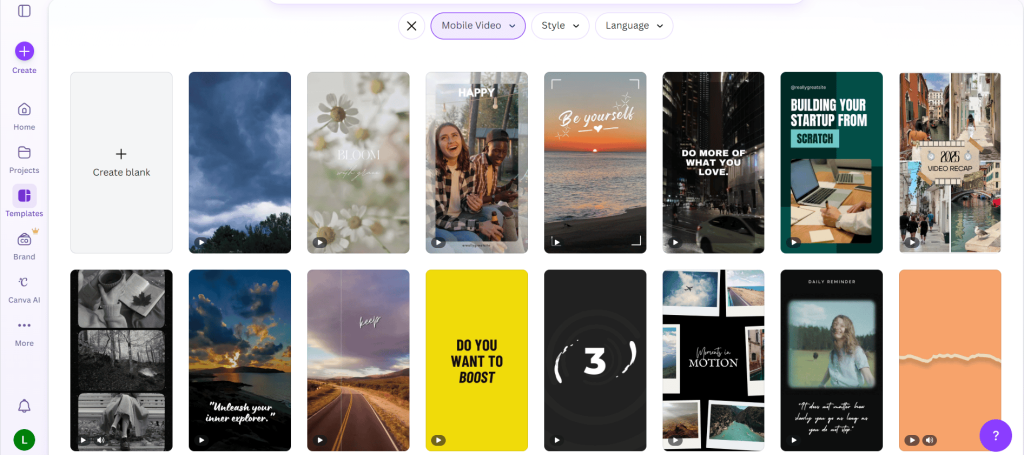
How to create these in Canva: It’s surprisingly easy — there are lots of pre-built video templates to pick from. Choose one that matches your aesthetic, swap out the text and stock video in the background.
And rather than finding quotes online you can instead use ChatGPT to generate new, fresh, interesting stories or theories that you can post.
4. Start a Clothing Store
There are millions of graphics and visual elements pre-installed in Canva that massively simplify the design process.
If you come to Canva and do a search for t-shirt templates, you’ll find that there are lots of templates to pick from that you can then use to quickly create your own designs.
How the print-on-demand side works: You can come to a print-on-demand app like Printify, which has a ton of blank clothing that you can customize. You just upload your own design onto it and list it for sale at a markup price in your own online store.
Where to sell:
- Your own online store
- eBay or Etsy
- Print-on-demand marketplaces like Redbubble or Zazzle
5. Sell Printable Wall Art
On Etsy, one of the most popular types of products that customers love to buy are digital posters that they can then print off at home and make into their own DIY wall art.
Why Canva is perfect for this: Inside Canva, posters are one of the products that have the most pre-made templates available to help you design and create your own.
6. Create and Sell Pitch Deck Presentations
Startups need a lot of services that help them win over investors who pay hundreds of thousands to millions of dollars in investing — and pitch deck presentations are a great example.
The earning potential: On Fiverr, a standard package with about 10 to 15 slides sells for over a $100.
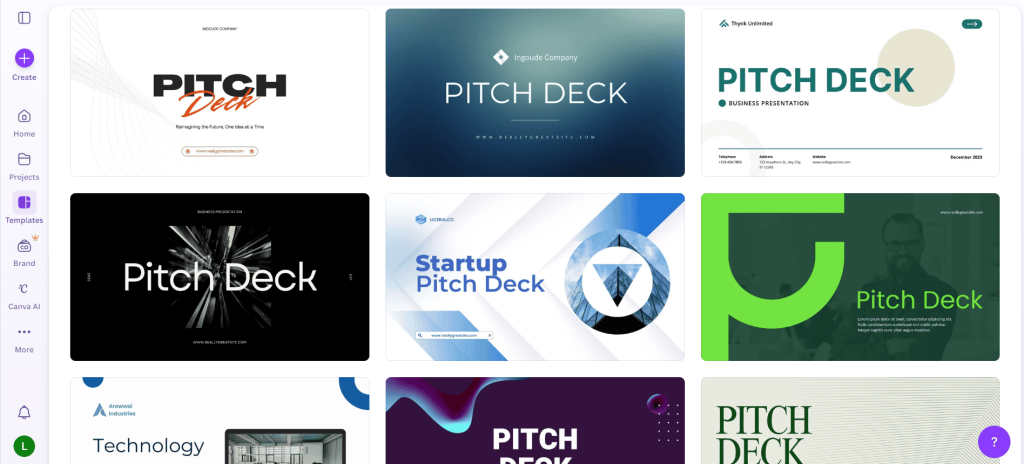
How to use Canva for this: Canva can drastically speed up the process. If you do a search for pitch deck presentations, you’ll see that there are a lot of pre-made templates to quickly create slides from.
The hidden feature that makes this even easier: A lot of people don’t realize that Canva has a built-in graph maker and chart generator. Since pitch presentations tend to share a lot of data, this feature can help you showcase it in visually fun and interesting ways.
7. Create and Sell Candles
On Printify, one of the bestselling print-on-demand products that people often overlook is their large selection of candles.
To customize a candle, all you need to do is upload a label design. That’s it. You don’t need to customize the actual candle, just the label.
Why they sell so well: Because they’re really cute, they’re actually really popular on Etsy as gifts, especially if the label is a funny one. Some candles are seeing multiple sales every single day.
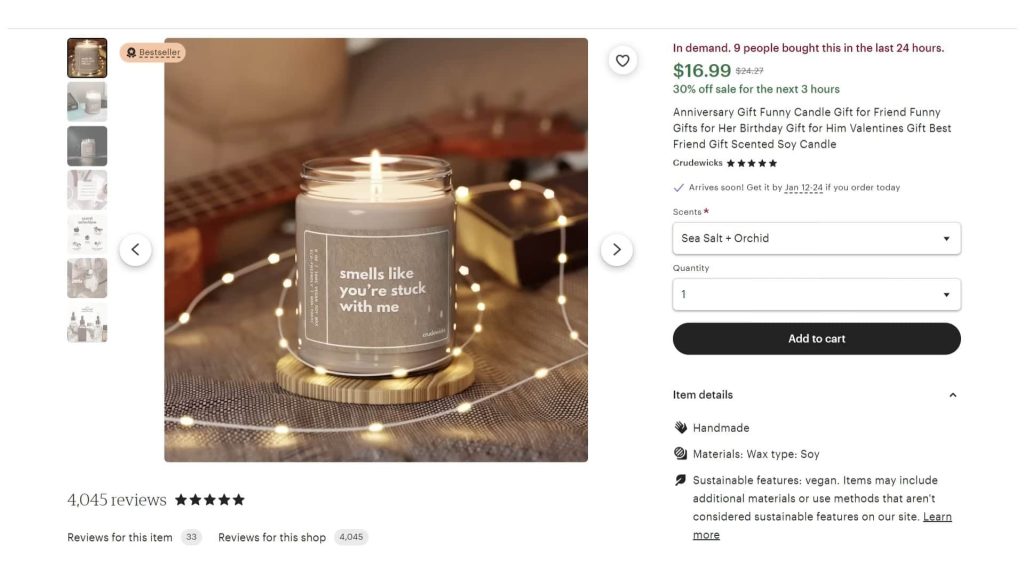
How to design them in Canva: If you go and do a search on Canva for candle labels, you will see that there are lots of templates that you can use to help you create your own. And as this is a typography-based product, it’s also very easy to design with Canva, as Canva has a ton of different pre-installed fonts that individually would be very expensive if you had to buy the licenses for them yourself.
8. Create and Sell Mugs
If you come to Canva and do a search for mug in templates, you’ll see that there are a lot of different designs that you can use to help you quickly make your own mug to sell.
Where to sell them: There are lots of places where mugs are super popular:
- Etsy and eBay
- Redbubble and Zazzle
- Pinterest — mugs are very pinnable, so you can combine this with making Pinterest pins in Canva to promote your mugs and make even more money
The platform that makes it easy: Selling mugs on eBay and Etsy is easy thanks to print-on-demand apps like Printify, which has direct integrations with both platforms.
9. Create and Sell Printables
You can make money by selling digital products that help people with something they’re struggling with.
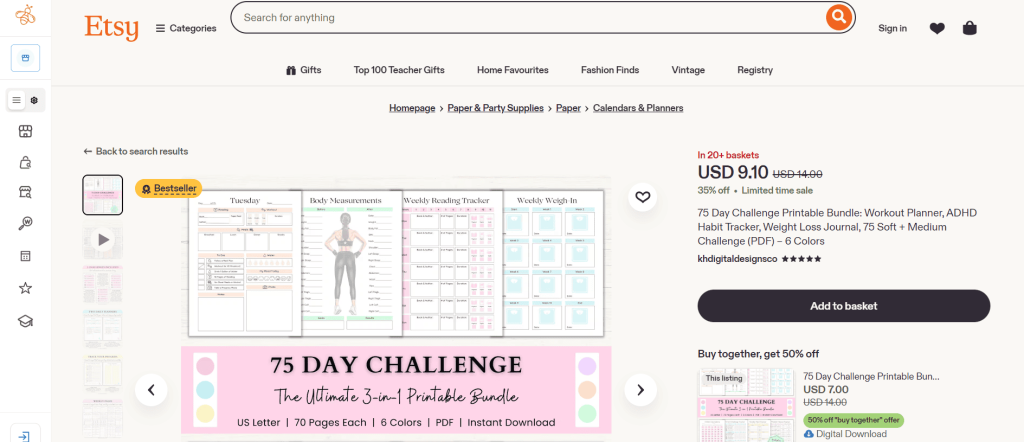
A classic example of this are planners and journals. Take this planner on Etsy that helps people lose weight and manage ADHD — over 20 people have it in their cart right now, which at the current sale price works out to over $180 in pending sales alone.
How to get started in Canva: If you come over to Canva and do a search for different types of worksheets, you’ll quickly find lots of templates that you can use as a base to create your own.
Since a lot of people are already selling planners and journals, why not get creative about the things that you sell?
We have a post on digital product ideas that you can sell on Etsy, you might want to check it out.
10. Create and Sell Custom Products
Custom products are insanely popular and they only keep getting more and more popular every single year.
Take for example custom print on demand t-shirts — they convert super well with Facebook ads, so selling them in your own Shopify store is one way to make money with them.
The Canva workflow that makes this scalable: What you can do is create your own custom-based design for a product like a mug inside Canva, then go into Canva’s export settings and save it as a template. Then when you get an order from a customer, you can just open up your template and switch in their customization. This Canva feature makes generating custom designs very fast.
11. Create and Sell Classroom Lessons
This one is niche, but for teachers or subject-matter experts it’s a real opportunity.
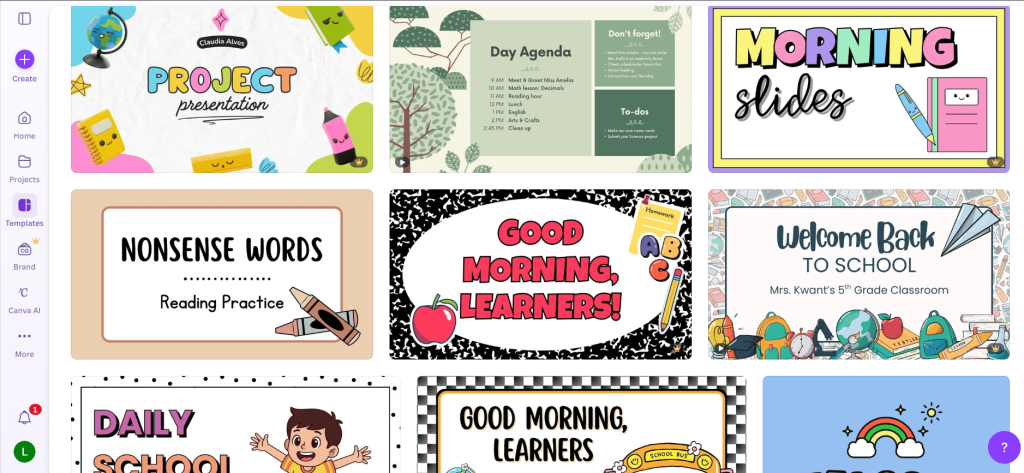
On Canva, if you do a search for school slides, you’ll find a bunch of really great pre-made templates that you can customize to create school lessons. Canva’s own internal creative team has actually created some very cute ones that kids really love.
Where to sell them: There is a little known website called Teachers Pay Teachers, which is the biggest online marketplace for teachers to sell their classroom resources. So if you’re a teacher or an expert in a subject, you could use Canva to create engaging lessons and then sell them for a profit.
12. Create and Sell Patterns
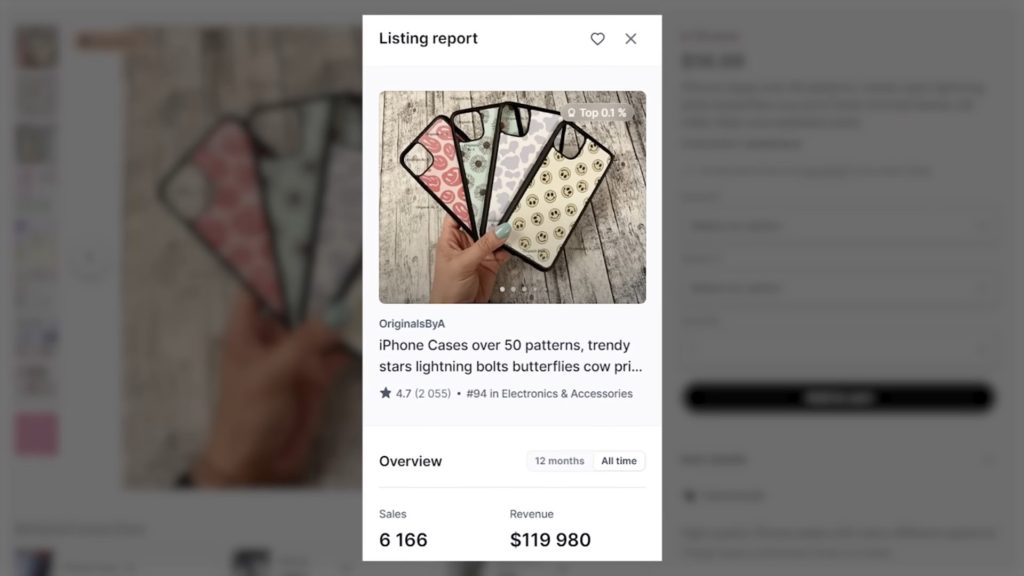
Patterns sell super well when printed onto all-over-print products like phone cases, where the design covers the whole product.
Take this pattern print-on-demand phone case on Etsy — Everbee estimates that they’ve made over $110,000.
Two Canva features that make pattern creation much faster:
Feature 1 — Magic Recommendation: When you’re creating your pattern, use the magic recommendation feature when you choose a graphic. That way you can find images by the same creator in the same style so that they’ll all match.
Feature 2 — The Grid Feature: Save your design as its own image, then create a new Canva project and use the grid feature to create two grids. Place half of your image in the first grid and the other half in the second. By using grids, you can quickly and easily turn one square image into a seamless pattern.
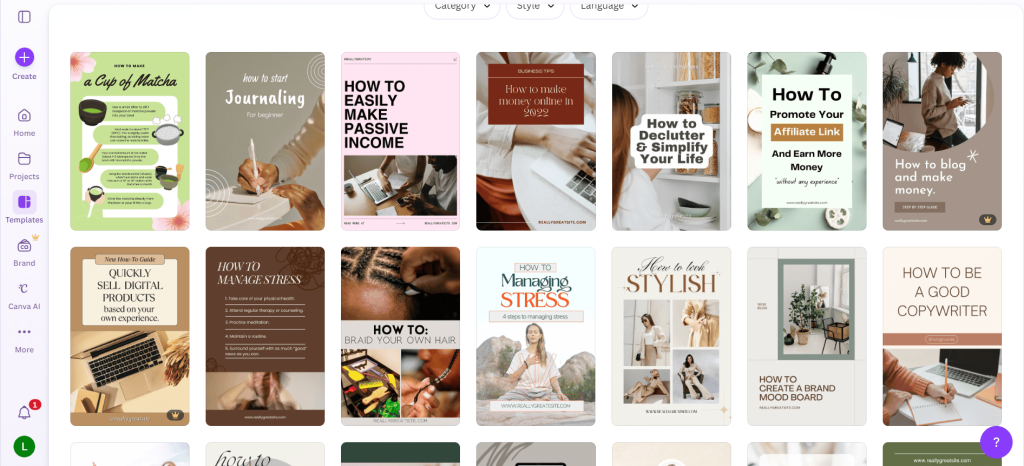
13. Create How-To Pins for Pinterest
Another way that people love to use Pinterest is to find how-to guides. If you come and do a search for “how to create a budget,” you can see that a lot of how-to pins have been designed specifically to grab the attention of people looking for this.
How the money works: When you click on the link in that pin, it takes you to a blog post where they have placed affiliate links for people to click on — earning affiliate commissions from signups and purchases. By using this strategy, Pinterest creators are bringing in thousands of dollars a month in affiliate commissions.
How to set it up in Canva: If you come and do a search in Canva for how to pin in templates, you’ll find lots of different options to pick from — just pick an aesthetic that matches your target niche and then swap out the text and graphics to customize it.
Final Thoughts
Making money with Canva isn’t about being a professional designer—it’s about using simple tools strategically and consistently.
Canva gives you a low-risk, beginner-friendly way to start earning online. With a bit of creativity and consistency, it can go from a simple design tool to a reliable source of income—even passive income over time.
The biggest takeaway? You don’t need to try all 15 ideas. Pick one method that feels easiest—whether it’s Pinterest pins, printables, or short-form videos—and focus on it.
Most people fail not because the ideas don’t work, but because they jump from one thing to another too quickly.
Start small, stay consistent, and let your skills and income grow step by step.



Leave a Reply